
AI Coding Tools Comparison
⁕ CLIENT
personal project
⁕ TASKS
develop frontend and backend without writing code / with ai agents
⁕ TOOLS
claude.ai. figma make. framer. framer wireframer. framer workshop.
⁕ About
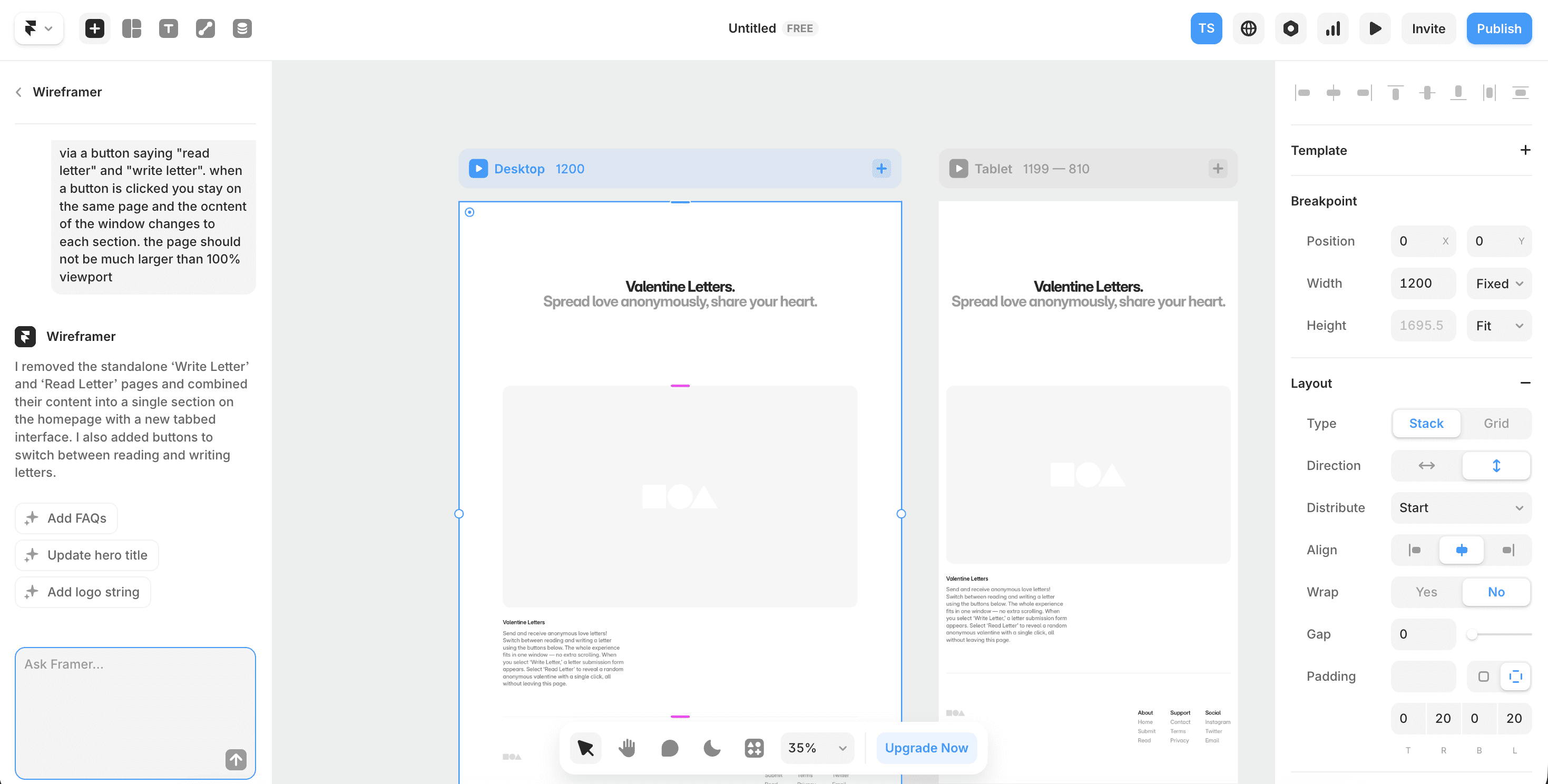
For Valentine's Day 2025, I wanted to create something meaningful - a platform where people could anonymously share love letters and read others' heartfelt messages. But here's the twist: instead of building it the traditional way, I decided to run an experiment. I prompted three different AI tools with the exact same request to see how they'd approach building both the frontend and backend. The contenders? Claude.ai (two approaches: pure code and Framer integration), and Figma's AI tool. The goal was simple - create a web app where users could write anonymous letters stored in a database, and read random letters that only change on page refresh. No endless scrolling, just intentional, thoughtful reading.
⁕ Challenge
Each AI took me down a completely different path, and the results were... illuminating. Both Claude and Figma immediately pushed me toward setting up Firebase, walking me through the configuration step by step. Figma, however, also offered Supabase as an option, which turned out to be surprisingly painless - minimal effort, maximum results.
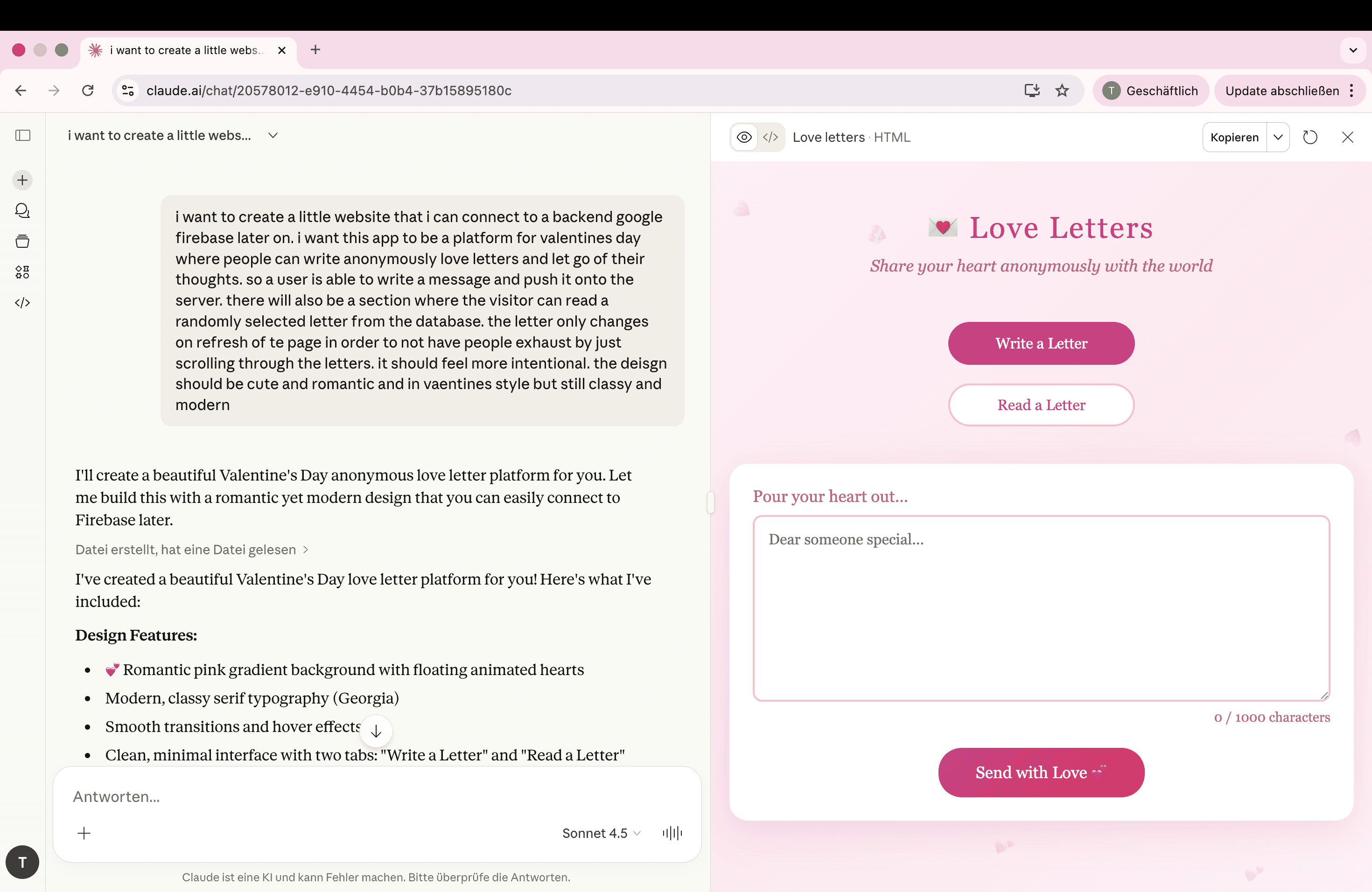
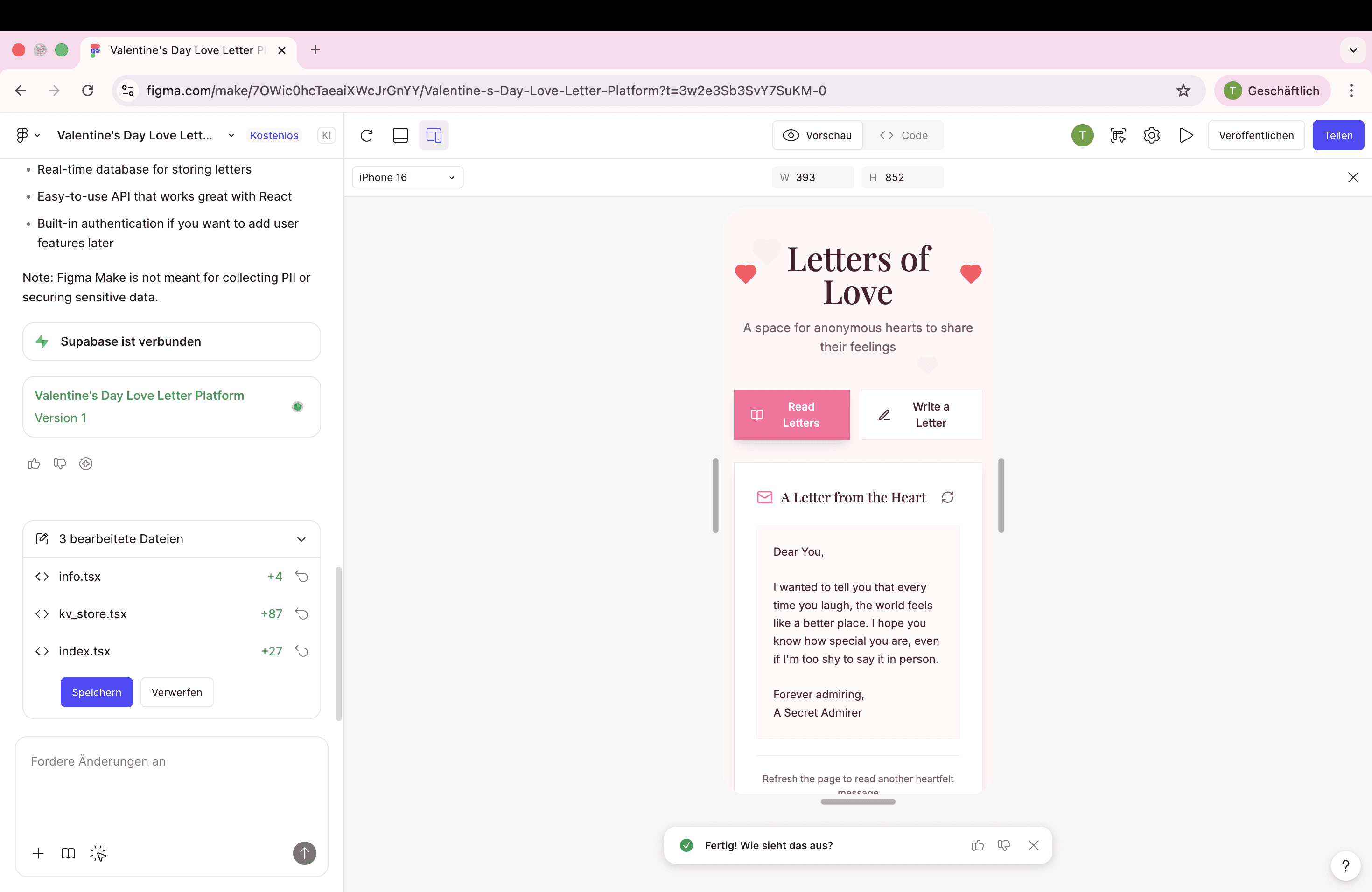
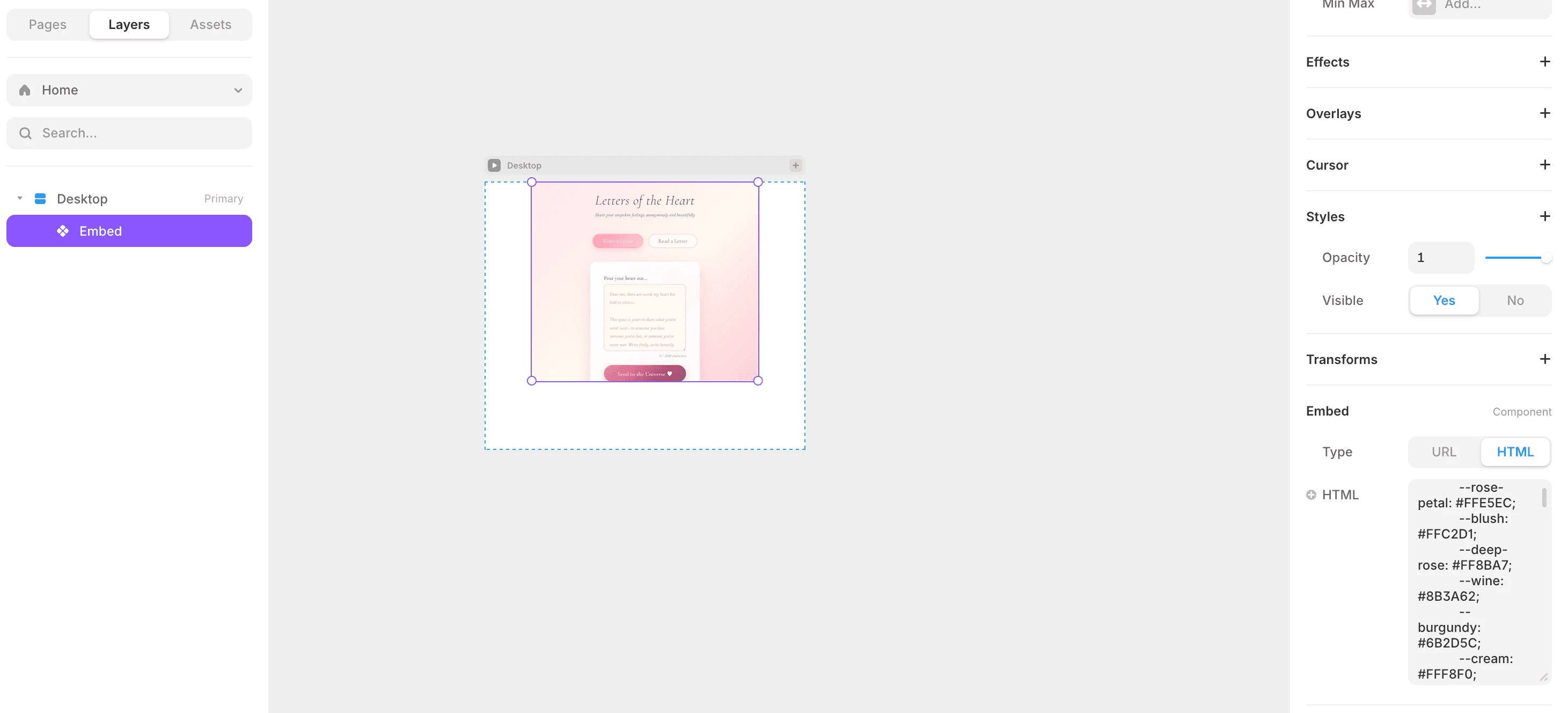
The frontend development was where things got interesting (and occasionally frustrating). Claude's pure code approach to frontend? Let's just say it wasn't its strongest moment. The designs were functional but lacked that spark. Figma's AI-generated frontend looked polished at first glance, but here's where I got suspicious - I'd seen nearly identical designs floating around in Figma community projects. Was this AI-generated or AI-recycled? It made me wonder if Figma Make was pulling inspiration from existing community work, or if everyone using Figma Make was just ending up with the same aesthetic.
Interestingly, both Claude and Figma produced remarkably similar design directions overall. Generic, safe, predictable. Not exactly the romantic, distinctive vibe I was going for.
The backend integration stories couldn't have been more different. The Claude-only approach had me manually copying files, assigning element IDs one by one, and spending considerable time debugging through conversation. "Why isn't this working?" became my most-used phrase. Figma Make, on the other hand, just... connected everything. Backend to frontend, done. No file shuffling, no ID hunting, no debugging marathon.
But here's where Framer entered the chat and changed the game. Using Claude with Framer gave me something neither of the other approaches offered - creative freedom. I could visually edit the UI through Framer's interface while Claude handled the backend logic. With pure Claude, every style change meant writing code or explaining my vision in words. With Figma, I could copy the AI design into my editor and tweak it there, but the workflow broke down when I wanted to go back. I could screenshot and re-prompt Figma Make, but I couldn't paste my edited design back into the project. It was a one-way street. And while Figma offers AI design tools that might be perfect for crafting a beautiful frontend first, I'd then need to rebuild the backend connection from scratch since I couldn't bring my custom design back to the existing project.
⁕ Results
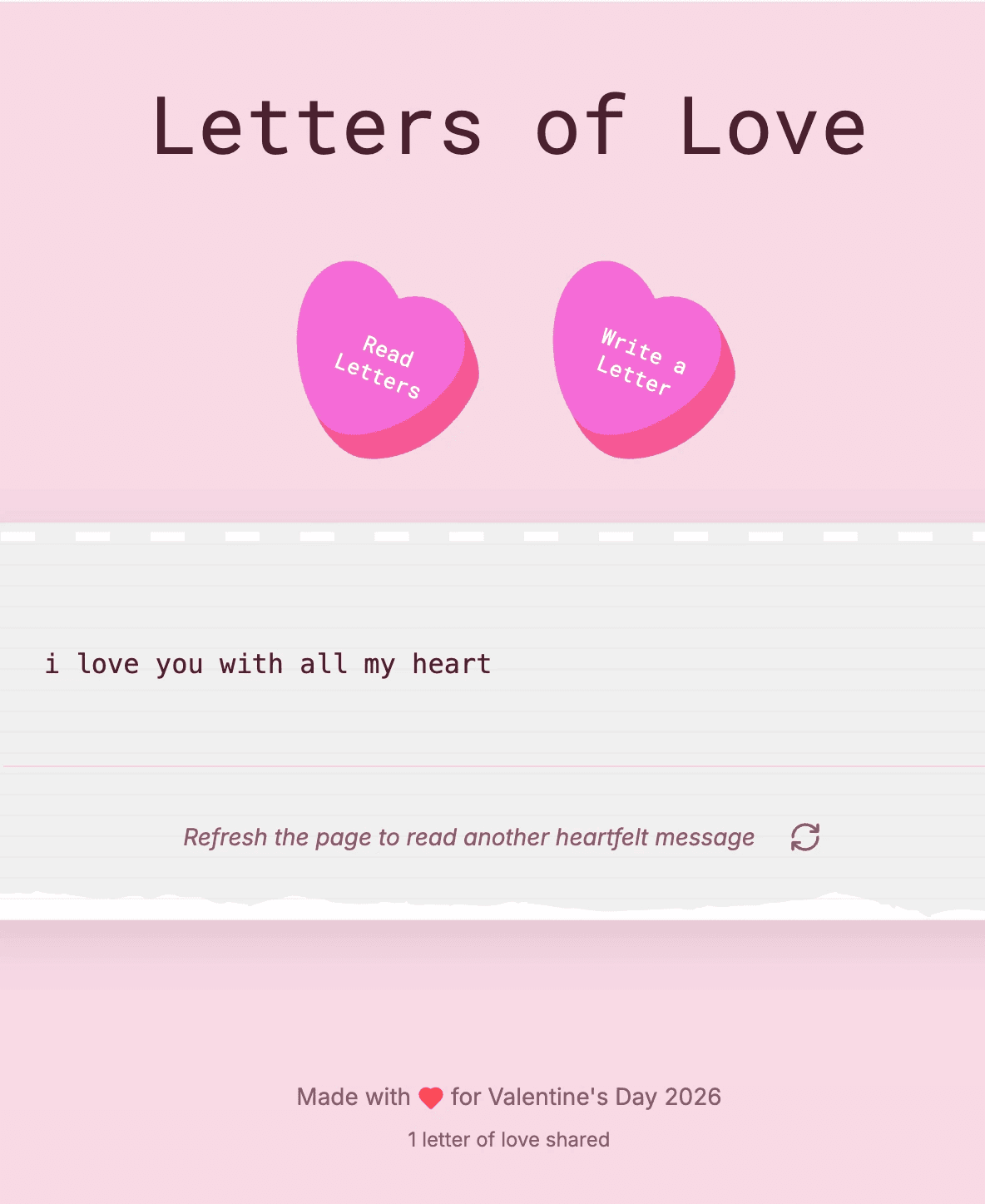
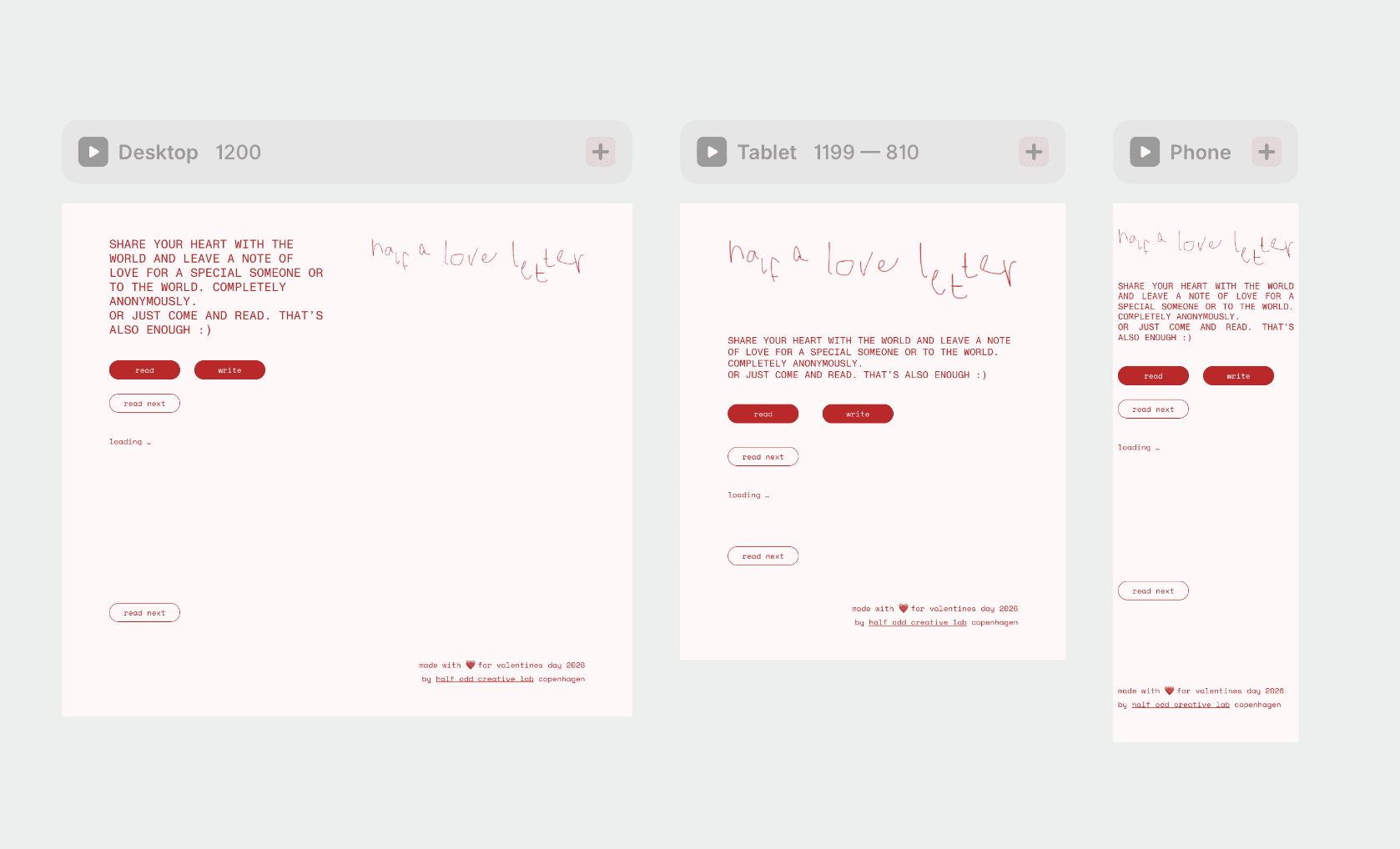
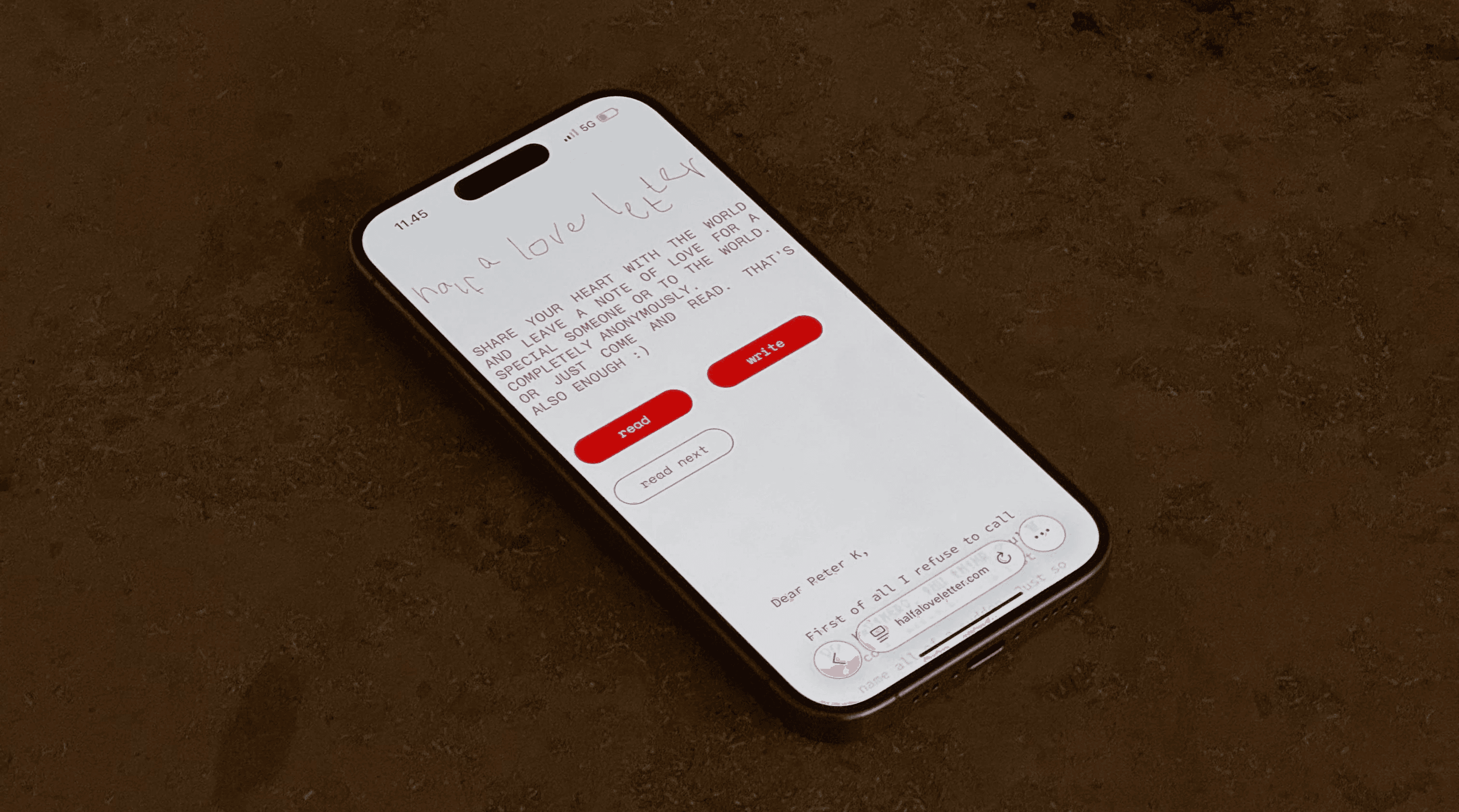
The Claude + Framer combo ultimately won, despite requiring more initial setup. Yes, I spent time copying files and manually assigning IDs. Yes, debugging through conversation added friction. But what I got in return was a development workflow that actually matched how I think - visual editing when I wanted it, code when I needed it, and full control over every detail. The platform came together with the exact aesthetic I envisioned: Source Code Pro typography, custom colors, thoughtful spacing, and an interface that felt personal rather than template-generated.
The final product? A fully functional anonymous love letters platform where Firebase handles the backend, letters load on page refresh (keeping things intentional, not infinite-scroll), and the design is distinctly mine - not borrowed from community templates or AI defaults. Users can pour their hearts out, and somewhere, someone they've never met will read their words and feel a little less alone.
This experiment taught me that the "best" AI tool isn't about speed or simplicity - it's about which one fits your workflow. Figma Make excels at rapid prototyping with zero backend headaches. Claude alone is powerful but lacks visual design chops. But Claude + Framer? That's where AI assistance meets creative control, where you can move fast without sacrificing that custom feel. Sometimes the secret isn't choosing one tool, but knowing how to combine them.
© Half odd
AI Coding Tools Comparison
⁕ CLIENT
personal project
⁕ TASKS
develop frontend and backend without writing code / with ai agents
⁕ TOOLS
claude.ai. figma make. framer. framer wireframer. framer workshop.
⁕ About
For Valentine's Day 2025, I wanted to create something meaningful - a platform where people could anonymously share love letters and read others' heartfelt messages. But here's the twist: instead of building it the traditional way, I decided to run an experiment. I prompted three different AI tools with the exact same request to see how they'd approach building both the frontend and backend. The contenders? Claude.ai (two approaches: pure code and Framer integration), and Figma's AI tool. The goal was simple - create a web app where users could write anonymous letters stored in a database, and read random letters that only change on page refresh. No endless scrolling, just intentional, thoughtful reading.
⁕ Challenge
Each AI took me down a completely different path, and the results were... illuminating. Both Claude and Figma immediately pushed me toward setting up Firebase, walking me through the configuration step by step. Figma, however, also offered Supabase as an option, which turned out to be surprisingly painless - minimal effort, maximum results.
The frontend development was where things got interesting (and occasionally frustrating). Claude's pure code approach to frontend? Let's just say it wasn't its strongest moment. The designs were functional but lacked that spark. Figma's AI-generated frontend looked polished at first glance, but here's where I got suspicious - I'd seen nearly identical designs floating around in Figma community projects. Was this AI-generated or AI-recycled? It made me wonder if Figma Make was pulling inspiration from existing community work, or if everyone using Figma Make was just ending up with the same aesthetic.
Interestingly, both Claude and Figma produced remarkably similar design directions overall. Generic, safe, predictable. Not exactly the romantic, distinctive vibe I was going for.
The backend integration stories couldn't have been more different. The Claude-only approach had me manually copying files, assigning element IDs one by one, and spending considerable time debugging through conversation. "Why isn't this working?" became my most-used phrase. Figma Make, on the other hand, just... connected everything. Backend to frontend, done. No file shuffling, no ID hunting, no debugging marathon.
But here's where Framer entered the chat and changed the game. Using Claude with Framer gave me something neither of the other approaches offered - creative freedom. I could visually edit the UI through Framer's interface while Claude handled the backend logic. With pure Claude, every style change meant writing code or explaining my vision in words. With Figma, I could copy the AI design into my editor and tweak it there, but the workflow broke down when I wanted to go back. I could screenshot and re-prompt Figma Make, but I couldn't paste my edited design back into the project. It was a one-way street. And while Figma offers AI design tools that might be perfect for crafting a beautiful frontend first, I'd then need to rebuild the backend connection from scratch since I couldn't bring my custom design back to the existing project.
⁕ Results
The Claude + Framer combo ultimately won, despite requiring more initial setup. Yes, I spent time copying files and manually assigning IDs. Yes, debugging through conversation added friction. But what I got in return was a development workflow that actually matched how I think - visual editing when I wanted it, code when I needed it, and full control over every detail. The platform came together with the exact aesthetic I envisioned: Source Code Pro typography, custom colors, thoughtful spacing, and an interface that felt personal rather than template-generated.
The final product? A fully functional anonymous love letters platform where Firebase handles the backend, letters load on page refresh (keeping things intentional, not infinite-scroll), and the design is distinctly mine - not borrowed from community templates or AI defaults. Users can pour their hearts out, and somewhere, someone they've never met will read their words and feel a little less alone.
This experiment taught me that the "best" AI tool isn't about speed or simplicity - it's about which one fits your workflow. Figma Make excels at rapid prototyping with zero backend headaches. Claude alone is powerful but lacks visual design chops. But Claude + Framer? That's where AI assistance meets creative control, where you can move fast without sacrificing that custom feel. Sometimes the secret isn't choosing one tool, but knowing how to combine them.
© Half odd
AI Coding Tools Comparison
⁕ CLIENT
personal project
⁕ TASKS
develop frontend and backend without writing code / with ai agents
⁕ TOOLS
claude.ai. figma make. framer. framer wireframer. framer workshop.
⁕ About
For Valentine's Day 2025, I wanted to create something meaningful - a platform where people could anonymously share love letters and read others' heartfelt messages. But here's the twist: instead of building it the traditional way, I decided to run an experiment. I prompted three different AI tools with the exact same request to see how they'd approach building both the frontend and backend. The contenders? Claude.ai (two approaches: pure code and Framer integration), and Figma's AI tool. The goal was simple - create a web app where users could write anonymous letters stored in a database, and read random letters that only change on page refresh. No endless scrolling, just intentional, thoughtful reading.
⁕ Challenge
Each AI took me down a completely different path, and the results were... illuminating. Both Claude and Figma immediately pushed me toward setting up Firebase, walking me through the configuration step by step. Figma, however, also offered Supabase as an option, which turned out to be surprisingly painless - minimal effort, maximum results.
The frontend development was where things got interesting (and occasionally frustrating). Claude's pure code approach to frontend? Let's just say it wasn't its strongest moment. The designs were functional but lacked that spark. Figma's AI-generated frontend looked polished at first glance, but here's where I got suspicious - I'd seen nearly identical designs floating around in Figma community projects. Was this AI-generated or AI-recycled? It made me wonder if Figma Make was pulling inspiration from existing community work, or if everyone using Figma Make was just ending up with the same aesthetic.
Interestingly, both Claude and Figma produced remarkably similar design directions overall. Generic, safe, predictable. Not exactly the romantic, distinctive vibe I was going for.
The backend integration stories couldn't have been more different. The Claude-only approach had me manually copying files, assigning element IDs one by one, and spending considerable time debugging through conversation. "Why isn't this working?" became my most-used phrase. Figma Make, on the other hand, just... connected everything. Backend to frontend, done. No file shuffling, no ID hunting, no debugging marathon.
But here's where Framer entered the chat and changed the game. Using Claude with Framer gave me something neither of the other approaches offered - creative freedom. I could visually edit the UI through Framer's interface while Claude handled the backend logic. With pure Claude, every style change meant writing code or explaining my vision in words. With Figma, I could copy the AI design into my editor and tweak it there, but the workflow broke down when I wanted to go back. I could screenshot and re-prompt Figma Make, but I couldn't paste my edited design back into the project. It was a one-way street. And while Figma offers AI design tools that might be perfect for crafting a beautiful frontend first, I'd then need to rebuild the backend connection from scratch since I couldn't bring my custom design back to the existing project.
⁕ Results
The Claude + Framer combo ultimately won, despite requiring more initial setup. Yes, I spent time copying files and manually assigning IDs. Yes, debugging through conversation added friction. But what I got in return was a development workflow that actually matched how I think - visual editing when I wanted it, code when I needed it, and full control over every detail. The platform came together with the exact aesthetic I envisioned: Source Code Pro typography, custom colors, thoughtful spacing, and an interface that felt personal rather than template-generated.
The final product? A fully functional anonymous love letters platform where Firebase handles the backend, letters load on page refresh (keeping things intentional, not infinite-scroll), and the design is distinctly mine - not borrowed from community templates or AI defaults. Users can pour their hearts out, and somewhere, someone they've never met will read their words and feel a little less alone.
This experiment taught me that the "best" AI tool isn't about speed or simplicity - it's about which one fits your workflow. Figma Make excels at rapid prototyping with zero backend headaches. Claude alone is powerful but lacks visual design chops. But Claude + Framer? That's where AI assistance meets creative control, where you can move fast without sacrificing that custom feel. Sometimes the secret isn't choosing one tool, but knowing how to combine them.
© Half odd